


Introduction
If you’ve used ChatGPT for any kind of writing, you’ve probably noticed its love for the em dash — the long “—” that shows up in sentences more often than most users prefer. Over time, this became such a common pattern that many people could instantly tell whether a piece of text was AI-generated.
Finally, OpenAI has rolled out a fix that allows users to control ChatGPT’s punctuation habits. Now you can tell the model to completely avoid em dashes or use them only when necessary. This simple update gives writers more control and helps AI-generated content sound more natural and human-like.
Also Read




In this guide, you’ll learn five quick steps to make ChatGPT stop overusing em dashes, along with why this update matters for anyone who uses AI for content creation.

Why People Wanted to Remove Em Dashes
Em Dashes Became an AI “Fingerprint”
The em dash is a perfectly good punctuation mark. But when ChatGPT began inserting it everywhere — in articles, essays, captions, and even emails — it became a recognizable pattern. Many editors and writers started calling it the “AI dash” because no human uses it so frequently.
This was a problem for:
- Students writing assignments
- Professionals creating reports or emails
- Bloggers and journalists publishing stories
- Content creators aiming for a natural writing style
OpenAI Responded to User Feedback
After months of requests, OpenAI finally updated ChatGPT so it listens when users say:
“Don’t use em dashes in your writing.”
Now, with a simple instruction, ChatGPT can follow your punctuation preferences and avoid the long dash unless you specifically allow it.
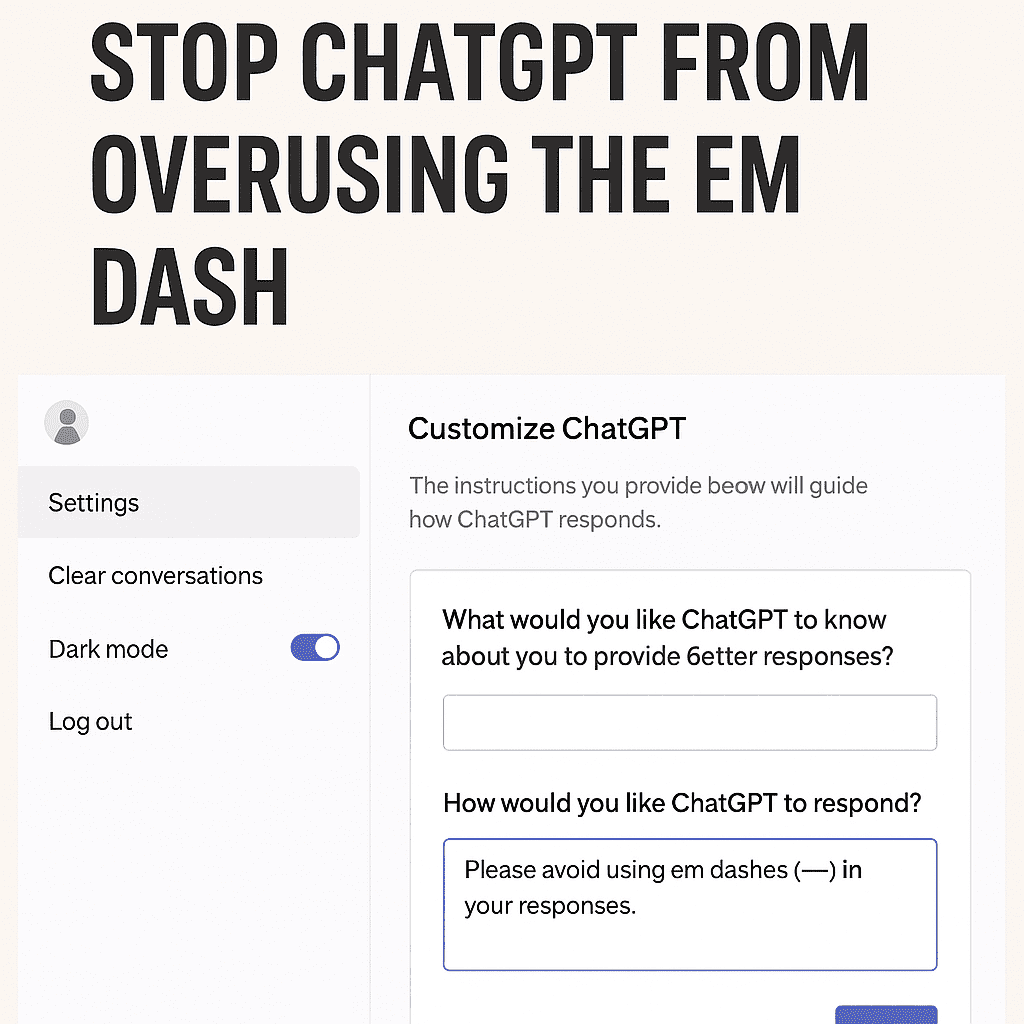
✅ How to Make ChatGPT Stop Using Em Dashes (5 Simple Steps)
Here are the exact steps you need to follow:
Step 1: Open ChatGPT
Go to chat.openai.com or open the ChatGPT mobile app.
Step 2: Open the Settings Menu
Click on your profile picture or username in the corner of the screen.
Select Settings from the menu.
Step 3: Go to “Custom Instructions”
In the settings window, find the section labeled Custom Instructions or Personalization.
This is where you can tell ChatGPT your preferences for tone, style, and writing rules.
Step 4: Add a Clear Instruction
In the box that asks, “How would you like ChatGPT to respond?”, type:
“Please avoid using em dashes (—) in your writing. Use commas, periods, or semicolons instead.”
The clearer your instruction, the better ChatGPT will follow it.
Step 5: Save and Test
Click Save.
Then start a new chat and test the results by asking ChatGPT to write something.
If you still see em dashes, refine the instruction or repeat your preference at the start of the conversation.

⭐ Why This Update Is Helpful
1. More Natural, Human-Like Writing
Removing the overuse of em dashes instantly makes AI-written text look more natural. Humans typically use a variety of punctuation marks, so reducing the em dash improves readability.
2. Helps Students and Professionals
Whether you’re writing essays, emails, or client presentations, you can now craft text that doesn’t look obviously AI-generated.
3. Better Control Over Writing Style
Brands and bloggers can maintain a consistent tone across all content by customizing punctuation, voice, and formatting.
4. Shows AI Tools Are Becoming More Personalizable
Small updates like this indicate that future AI writing tools will allow even more customization and user-specific preferences.
❓ FAQ: Frequently Asked Questions
Q1. Does ChatGPT completely stop using em dashes after I update the settings?
Yes, in most cases. If it slips, remind it within the chat.
Q2. Do I need a paid plan to use Custom Instructions?
No. These settings are available to both free and paid users.
Q3. Can I allow em dashes only sometimes?
Yes. Just specify how often you want ChatGPT to use them.
Q4. Can I use this method for other punctuation preferences?
Absolutely. You can instruct ChatGPT to avoid semicolons, limit exclamation marks, avoid emojis, and more.
Q5. Why did ChatGPT use so many em dashes in the first place?
It was part of the model’s trained writing style because many writing samples online use em dashes for dramatic effect. Users found it excessive — so OpenAI added controls.
Conclusion
The ability to control ChatGPT’s use of the em dash may seem like a small feature, but it makes a big difference in how natural and professional your writing looks. Whether you’re a student, content creator, business owner, or casual user, customizing punctuation helps you produce cleaner, more authentic text.
ALSO READ-
1.Virat Kohli Creates History: Breaks Sachin’s 33-Year ODI Century Record
2.Khaleda Zia in Critical Condition: PM Modi Extends India’s Support & Prayers

